Hello,
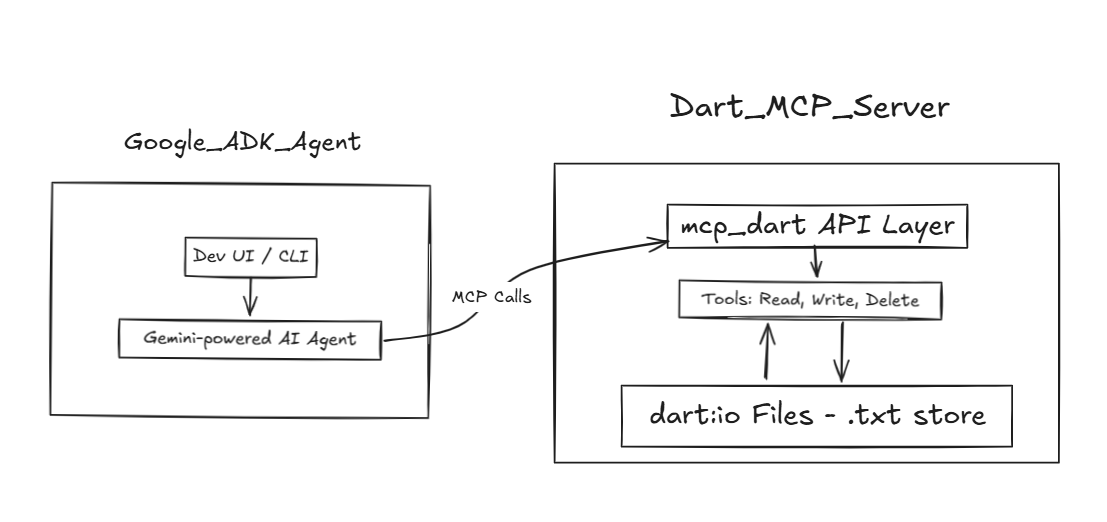
In this blog, I’ll show you how we can connect and control the Dart Note-Taking MCP server using the Google Agent Development Kit (ADK), which is integrated with Google Gemini models. This setup allows the LLM agent to interact with the server, execute note operations, and manage data through the Model Context Protocol (MCP).
But first, let’s break down the key topics we’ll cover:
- What is MCP?
LLMs(Large Language Models) have limited awareness and control over external tools or data sources, and prompting alone isn’t enough to reliably perform real-world tasks. To address this, Anthropic introduced the Model Context Protocol (MCP) — a standardized interface that connects LLMs to external systems.
Think of MCP as a USB-C port for AI: it lets models interact with tools, APIs, and data sources in a structured, secure way.
This enables LLMs to go beyond text generation and act as intelligent agents capable of reasoning, delegating, and executing tasks in real-world contexts.
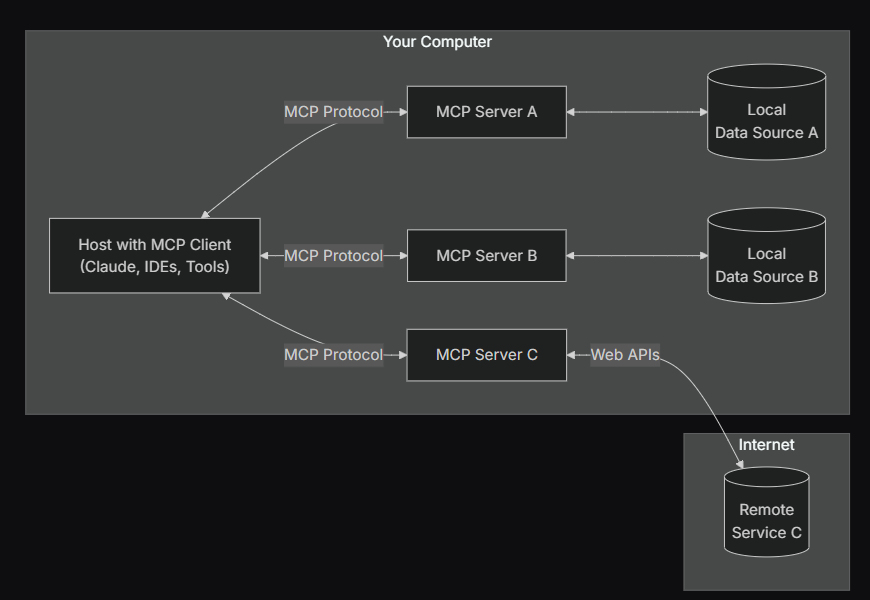
Block Diagram Demostration of MCP
So here,
We will develop a Dart MCP Server, which will act as a lightweight knowledge base system.
This server will manage and persist textual data using .txt files, leveraging the dart:io library for low-level file operations.
The system will expose modular capabilities, such as reading, writing, updating, and deleting files, implemented using the mcp_dart package.
3. What is an AI Agent?
An Agent is a self-directed program designed to autonomously perform specific tasks. It can interact with users, leverage external tools, and collaborate with other agents to accomplish its goals.
In our case, the agent is a Note-Taking Agent. It takes user input and executes note-related operations such as creating, reading, updating, or deleting notes, acting as an intelligent interface to our underlying knowledge base.
2. Introducing Google ADK
The Agent Development Kit (ADK) is a flexible framework for building and running AI agents. While it’s optimized for Google’s Gemini models, it’s model-agnostic and works with different tools and platforms. ADK makes agent development feel like regular software development, so it’s easier to build, deploy, and manage agents, from handling simple tasks to running complex workflows.
In our case, we’ll use ADK to connect a Gemini-powered agent to our Dart MCP server, allowing the agent to read, write, and manage notes through the Model Context Protocol.
We will create one root agent to connect to our Dart MCP server and will execute note operations from the Web UI of the ADK in later parts.
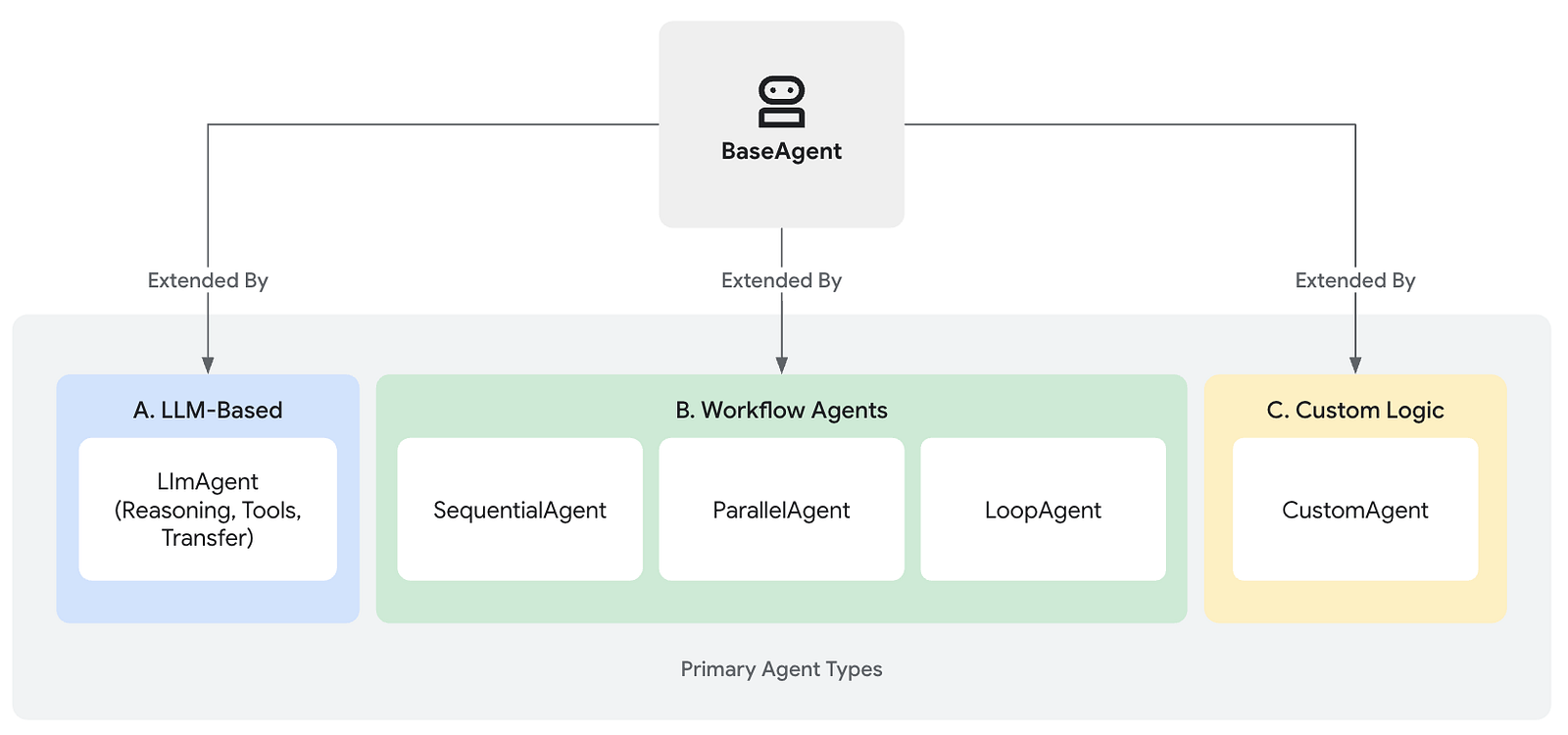
In the Agent Development Kit, we have multiple agents to create different kinds of workflows.
But the common agent will be called as Base Agent
But,
Table below is a comparison between different agents

Let’s jump into the actual MCP implementation, and I will attach all the resources at the end.
Here is the folder structure I am following,
- Create a Dart MCP server
Let’s create a Dart project with the following name: dart_notes_mcp
Add the following dependency inside pubspec.yaml:
Create lib/file_handler.dart:
The above class is the core functionality of our MCP server,
_basedir: Folder where files are stored.
read: Reads content from a file.
write: Creates a new file if it does not exist, or it appends the content to the existing file.
delete: Removes a file.
list: Shows all files in the folder.
The NotesHandlerServer class creates a simple MCP server to manage notes using the mcp_dart package.
Each command is linked to a function in the FileHandler class.
The server listens for these commands using standard input/output, like a terminal. When started, it waits for users to send note-related requests.
In simple terms, this class makes it easy to work with notes by turning basic file actions into commands that can be used over a server.
And this server is linked inside the Google ADK and those actions will automatically get triggered when user prompts inside the ADK web ui.
Let’s export this library to start the server inside the — dart_notes_mcp\bin\dart_notes_mcp.dart
2. Create Gemini Agent with ADK
i. Create and activate venv
ii. Install the ADK
iii. Create the First ADK agent
Choose a model and backend, and create the Gemini API key from Google AI Studio and paste it inside the
Enter Google API key: or you can update the API key later in the .env file as
GOOGLE_API_KEY value.
Let’s look into the generated files.
This code sets up an LlmAgent using Google’s ADK to connect to a Dart Note Taking MCP server.
LlmAgentis created with the model "gemini-2.0-flash" and named "dart_agent".- It is given instructions to help with file read/write tasks.
- It connects to the Dart MCP server using the**
MCPToolset**, which runs the Dart script via the command line (<Dart Installed path>and the path to your Dart MCP script ) this you can get by running path (which dartin mac/linux orwhere dartin windows.
In short,
this lets the agent send commands to the Dart MCP server by decoding the user prompts and executing the commands inside the Dart server.
3. Run and test the MCP server with the ADK web UI
Run the command in the terminal
Run adk web --no-reload in Windows (there is an open issue).
This will run the FastAPI server internally and open the Web UI in
- Open this URL in the web browser http://127.0.0.1:8000/
- Select the Agent by clicking on the Select An Agent button in the left panel In our case, the agent name is dart_note_agent
- Now the agent Session is started for our Dart note agent
- Now, let’s prompt the agent
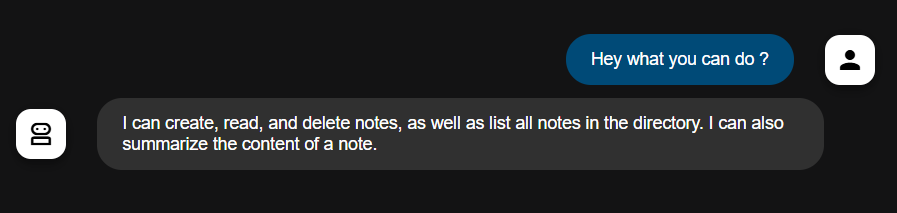
Let’s check the available notes
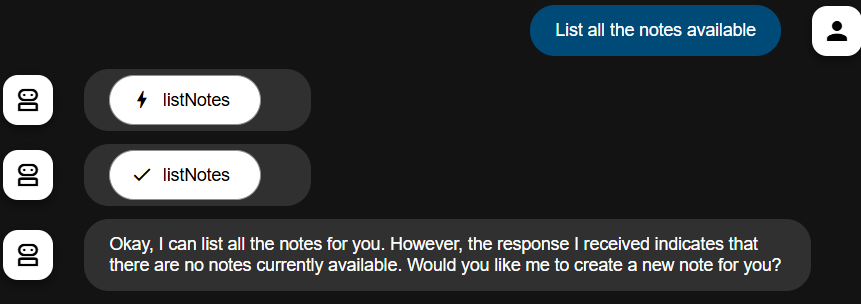
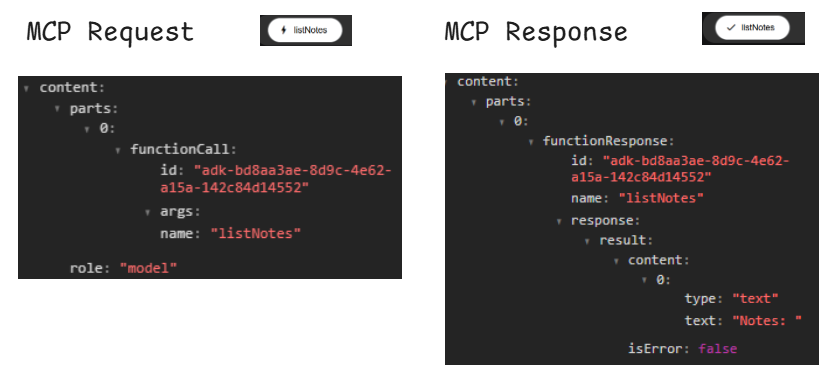
The request and response details will be available when you click on the functions that are executed.
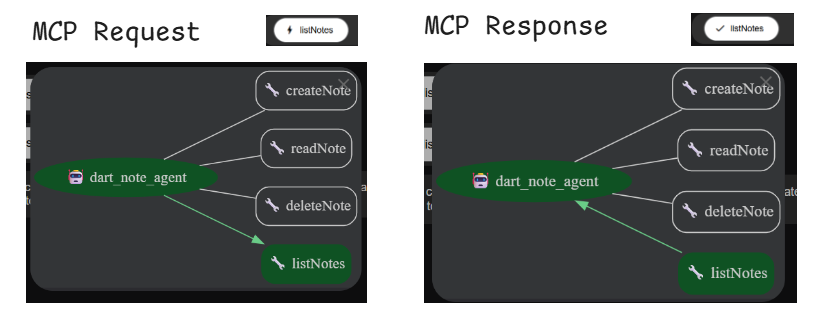
MCP function call for listNotes
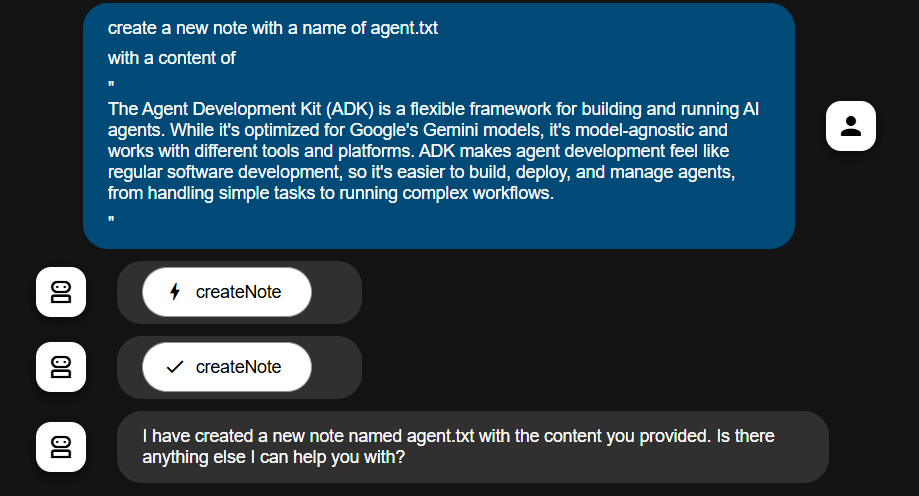
Let’s create a note with the following prompt
create a new note with a name of agent.txt , with a content of “ The Agent Development Kit (ADK) is a flexible framework for building and running AI agents. While it’s optimized for Google’s Gemini models, it’s model-agnostic and works with different tools and platforms. ADK makes agent development feel like regular software development, so it’s easier to build, deploy, and manage agents, from handling simple tasks to running complex workflows”
Let’s check the function calls that are happening with the above prompt
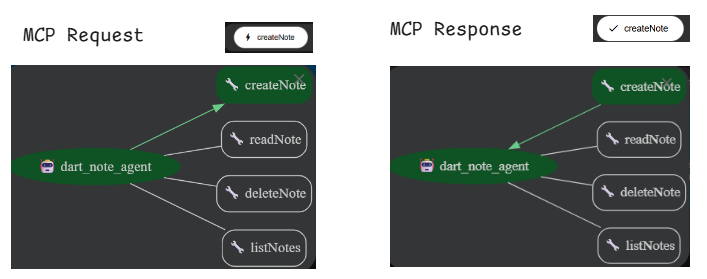
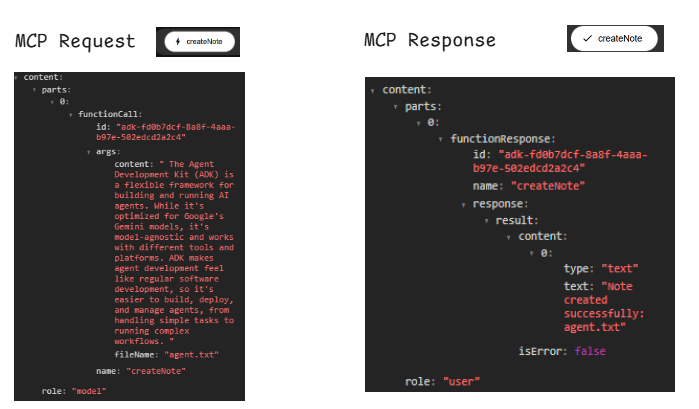
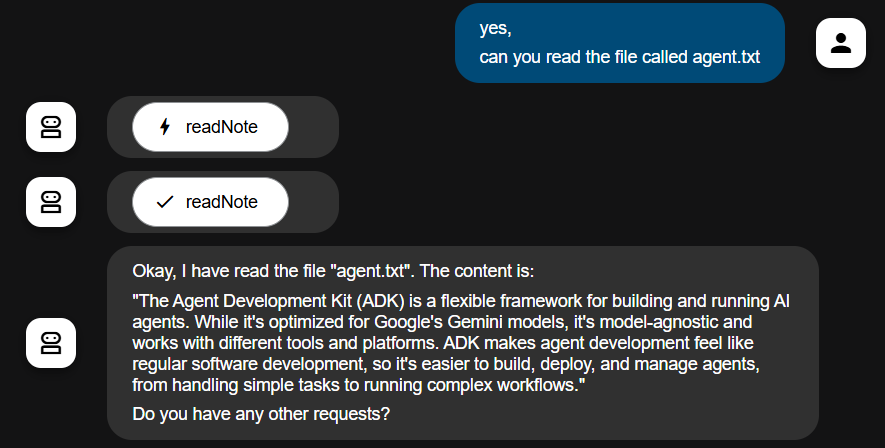
The file is created now Lets read the file with the prompt .
Let’s provide negative prompt to read the file that is not existed

Yeah the error checks are working now 🥳.
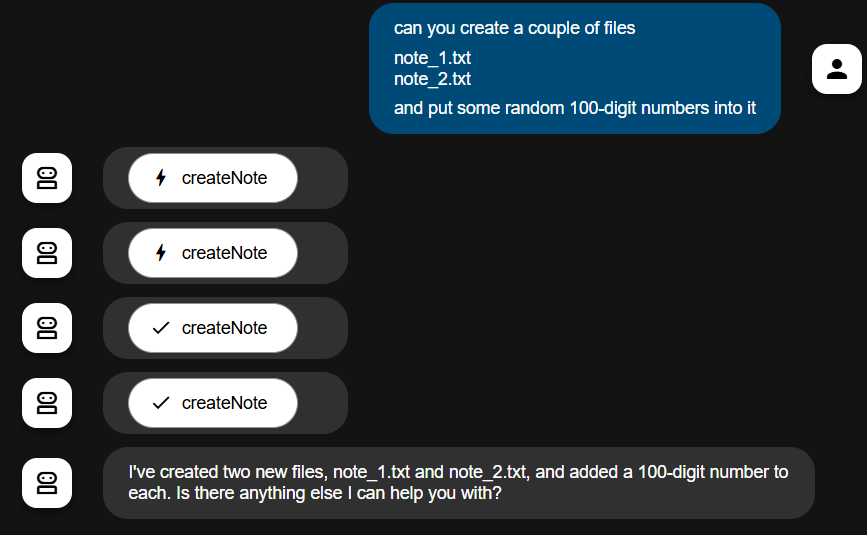
And the chain of functions that are executed with the single prompt,
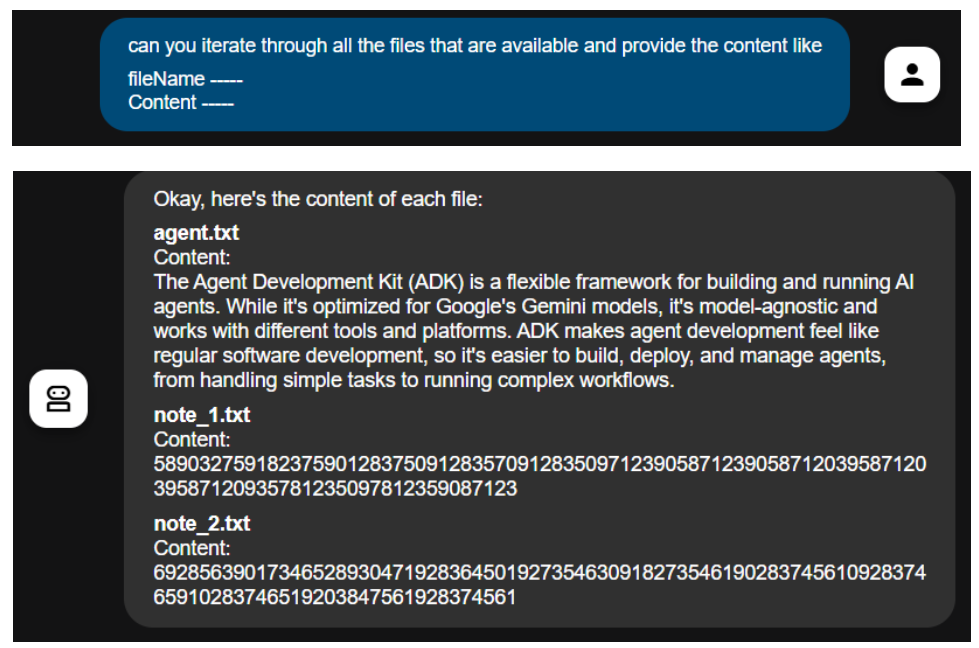
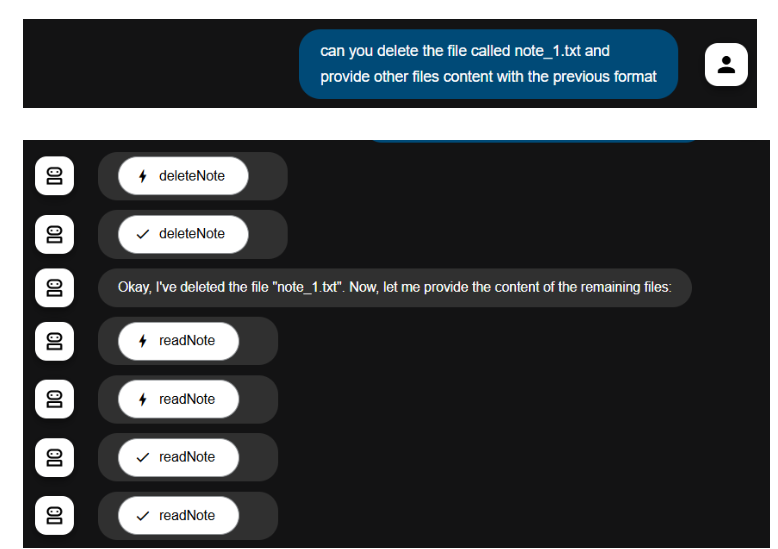
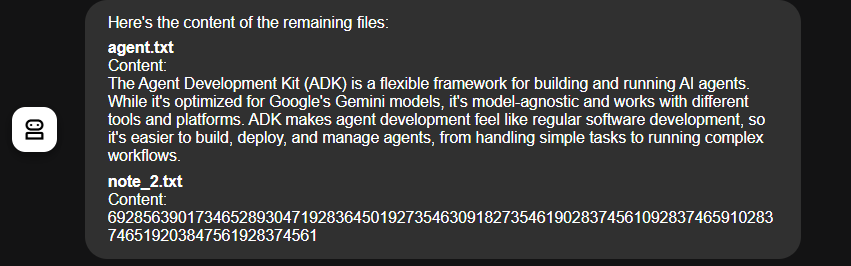
Now let’s Delete the files and check the list of the files available with it’s content
Yeah, that’s pretty much it. This is a basic-level MCP server with 3 to 4 core functionalities.
Once you understand the structure, you can integrate any Dart-supported libraries into it.
From there, you can build almost anything on top of this server and easily connect it to Google ADK or other MCP-compatible clients like Claude.
Useful Links
MCP: link
MCP_DART: link
Google Agent Development Kit: link
Git Repo: link
Thanks for reading,
Feel free to reach out to me for any queries or for any improvements on this LinkedIn 😊